Using an e-reader? Open the simple Cloud Library

Skip to content

Keep your work saved. Release with confidence.

Create and edit locally for free. Choose Library to save projects and continue across devices. Publisher adds publishing checks, reports, and attribution-free export.

Choose by workflow

E-BOOKA plans

Loading plans

Each check includes EPUBCheck and Ace accessibility checks. Free checks require a verified account.

Storage limits are fixed. EPUB size varies; images and embedded fonts use more space.

Secure Paddle checkout · 30-day guarantee on first payment · Cancel future renewal anytime

Save and reopen your work with Library. Add publishing checks with Publisher. Free local tools remain available without an account.

Library · Publisher

Save projects and continue on any device.

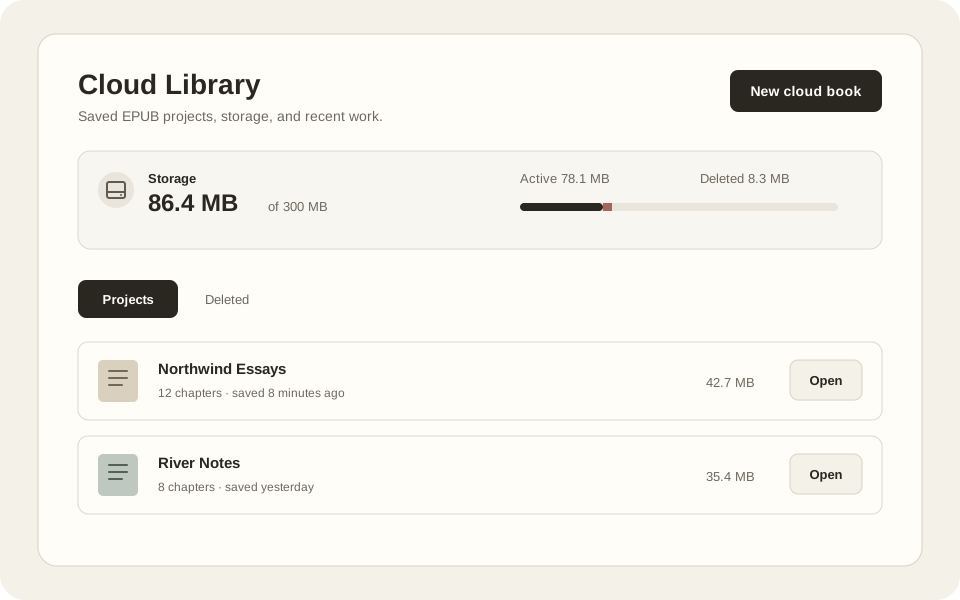
Keep ongoing EPUB projects in Cloud Library, ready to reopen when you return.

  • Reopen saved EPUB projects on another device.
  • Recover recent edits with autosave and recovery drafts.
  • Restore deleted projects.
Cloud Library project list and storage meter.
Cloud Library preview with example project data.

Publisher

Prepare your EPUB for publication

Check store-specific requirements and export without E-BOOKA attribution.

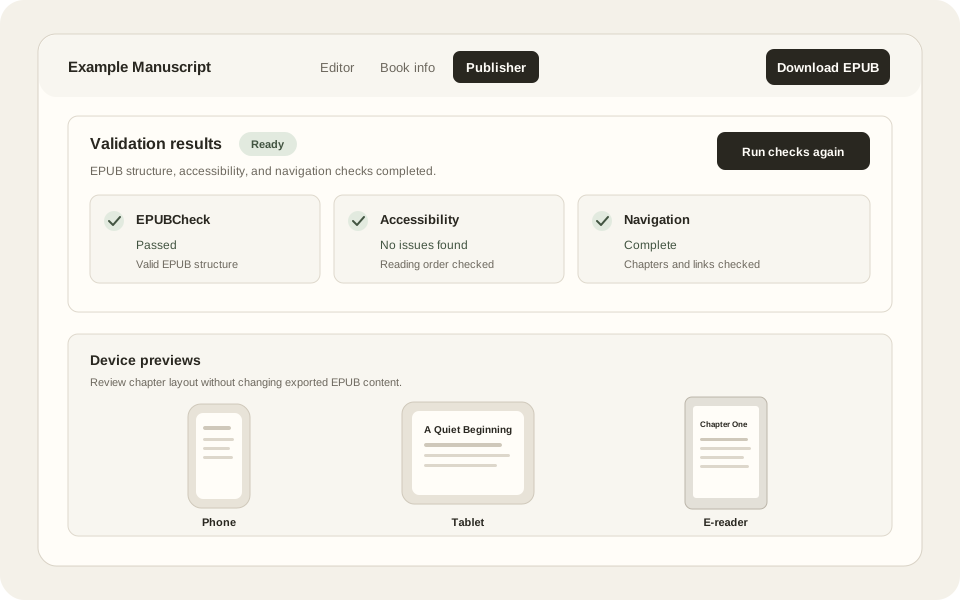
  • Review Amazon KDP and Apple Books readiness checks.
  • Rerun EPUBCheck and Ace without a monthly allowance limit.
  • Download HTML and JSON validation reports.
Example validation results, store-specific checks, and downloadable reports.
Illustrative Publisher workflow. Checks do not guarantee store acceptance.

Library · Publisher

Your library, within reach on your e-reader

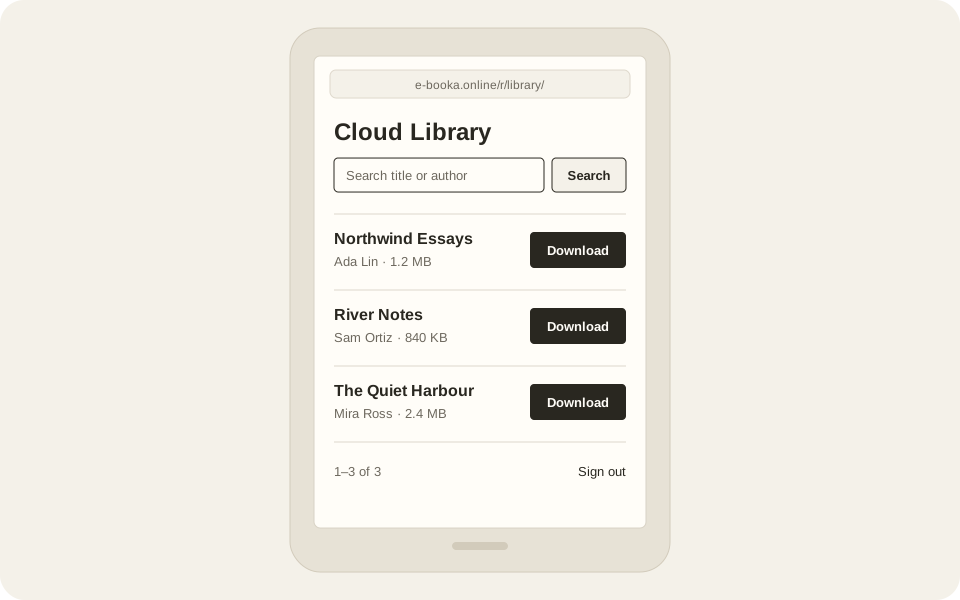
Open e-booka.online/r/ in a compatible e-reader's browser, sign in, and download your saved books.

  • A plain, light library that works without JavaScript.
  • Search your saved books and download any of them as EPUB.
  • Needs HTTPS, cookies, and EPUB downloads; device support varies.
Example Cloud Library on an e-reader browser, with Download buttons.
Illustrative e-reader library. Not a device compatibility guarantee.

Billing details

Payment, renewal, and legal details

Price and billing interval appear on each plan. Choose monthly billing, or annual billing where offered; annual plans are charged once, upfront, for the year. Plans renew automatically until cancelled. Paddle shows applicable taxes and final total before payment. First subscription payments include a 30-day money-back guarantee.

Paddle.com is E-BOOKA's authorized online reseller and Merchant of Record. Paddle processes payments, taxes, invoices, refunds, returns, and payment support; E-BOOKA does not receive or store full card numbers. By choosing a paid plan, you agree to E-BOOKA Terms of Service and Refund Policy; Paddle's Buyer Terms govern payment.
Pricing questions

How do I get my books onto an e-reader?

Save a project to Cloud Library, open e-booka.online/r/ in your reader's browser, sign in, and download your book. This lightweight page works without JavaScript. The browser must support HTTPS, cookies, and EPUB downloads; support varies by device and firmware.

If you use Google sign-in, use Reset password on the full site's Account page first.

Do free EPUB tools require an account?

No. Browser-only conversion, editing, and standard EPUB export remain available without sign-up.

What gets stored when I upgrade?

Only projects you explicitly save to Cloud Library. Free local files stay in your browser unless you choose a cloud save, import, reopen, or duplicate workflow.

Can I keep using free tools without upgrading?

Yes. Local conversion, editing, repair, and standard export stay free, and a free account adds a limited validation trial. Paid upgrades add optional Cloud Library plus workflow features such as duplication, fonts, style packs, device previews, and store readiness.

Which tier should I choose?

Use Library to save projects, recover recent edits, and continue across devices. It also includes downloads on compatible e-reader browsers and a monthly validation allowance.

Use Publisher to prepare for release: Amazon KDP and Apple Books readiness checks, downloadable validation reports, unlimited checks, and attribution-free exports. Checks do not guarantee store acceptance.

Can I start checkout without a verified account?

No. Paid access requires a verified E-BOOKA account. Paddle shows the selected plan, recurring amount, taxes, and final total before payment.

Do paid plans renew automatically?

Yes. Plans renew automatically until you cancel: monthly plans every month, and annual plans, where offered, once a year, charged upfront. Cancelling stops future renewals, and you keep access until the end of the period you paid for.

Are taxes included?

Paddle calculates applicable sales tax or VAT from your location and shows the final total before payment.

How do cancellation and refunds work?

The first payment has a 30-day money-back guarantee. Use the management link in your Paddle receipt, Paddle buyer support, or the Account billing page. Mandatory consumer rights may provide additional protection.